Privacy at NURA: your data lives on your device
NURA is built by NuroNova Genix Co. (a Delaware company headquartered in Houston, Texas) around a single architectural decision: the app that helps you pray, plan, and keep your day should not need a company in the middle of your life. So there isn't one. Prayer times, Qibla, the full athan, and every daily tool run entirely on your iPhone, offline, with no account and no sign-in.
There is no NuroNova server for the core app
Most apps route your data through a backend the company owns. NURA doesn't have one. Your prayer settings, saved places, sleep estimate, health entries, contacts, agenda, tool data, and any API key you add are stored on your device, not on our servers — because we don't run any for the core app. This isn't a policy promise layered on top of a cloud service; it's how the code is written. The app's networking layer treats any call that expects to reach a server as an explicit failure on device, precisely because there is no server there to answer it. A dedicated test in the suite (requestNoServer) exists to keep that behavior honest.
What is stored, and where
Each part of the app writes to its own namespaced key in your device's local storage — the WebView's localStorage and, for the durable stores, Capacitor Preferences, which on iOS lives inside the app's own private container. Nothing is uploaded to us.
- Prayer — your chosen location and calculation method (coordinates are stored coarsely by design).
- Agenda & alarms — your appointments, reminders, and alarms, bounded to a working set rather than an unbounded log.
- Contacts — a two-sided phone book (personal and business, never merged) that lives only on the device.
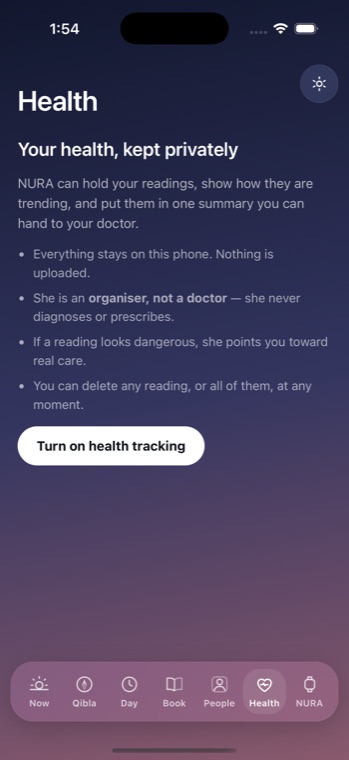
- Health, presence, routines, and Home settings — each in its own key, each on the device.
- AI & voice connection — the provider you picked and the key you pasted, stored locally and shown only as its last four characters.
The AI is optional, and it uses your own key
NURA's assistant persona, Noora, is entirely optional. She does nothing until you switch her on and paste your own OpenAI, Anthropic (Claude), or Together AI key. When you do, your message goes directly from your phone to the provider you chose, under your own account. NURA never proxies that request, never sees your key in transit, and never stores your conversation on a server — there is no server to store it on. The key itself is written to local storage, is never logged or echoed, and is only ever read back to authenticate your own requests to the one provider it belongs to.
Exactly what leaves your device
When — and only when — you use the optional AI, here is what is sent, and to whom:
| Data | When it leaves | Where it goes |
|---|---|---|
| Your typed or spoken message | Only when the AI is enabled and you send it | The provider you chose (OpenAI / Claude / Together), under your key |
| Answers the AI reads via tools (a prayer time, your address or coordinates if you allow location and ask, a health entry, a looked-up contact, a presence observation) | Only on the turn the AI actually needs them | The same provider, in the same request |
| Voice audio (if you add a voice key) | Only when voice replies are on | Your voice provider, under your key |
That is the complete list. There is no analytics SDK, no advertising identifier, no crash-reporting upload, and no NuroNova endpoint receiving any of it.
How those requests are protected
Provider calls travel over HTTPS — the app ships with iOS App Transport Security at its secure default, so arbitrary cleartext connections are not permitted. To make sure a key is never handed to the wrong company, the code refuses to send a Claude-style key to OpenAI, or an sk- key to the Together slot, before any request goes out. There is no certificate pinning, which is the correct choice here: these are your accounts and, if you want, your own proxy.
What we will not say
We won't tell you NURA is "unhackable," "military-grade," or "100% secure." No honest engineer would. What we will tell you is specific: your data is on your device, there is no account and no backend for the core app, the AI is opt-in and uses your own key, and the exact bytes that leave your phone are the ones listed above. Precision is the point.
NURA is a free, watch-first Muslim life companion from NuroNova Genix Co. It is coming soon to iPhone.
Get the athan, live — free
These times update every day. The NURA app keeps them live on your phone, calls the full athan at prayer time, points the Qibla, and shows it all on a living watch face — working offline, no account, no sign-in.
NURA — coming soon to iPhone