The People tab
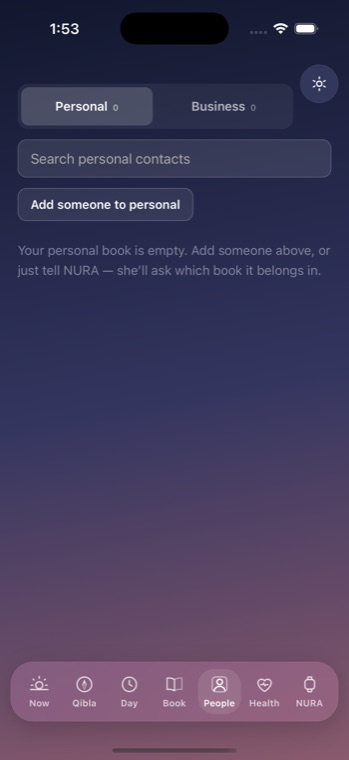
The People tab is your phone book — "a book you browse, not a form you fill." It keeps two address books, Personal and Business, and they never mix. Switching between them is a deliberate move from one book to the other, not a filter on one merged list.
Two books, never merged
At the top, a segmented control reads Personal | Business, each showing its own contact count. You are always looking at exactly one book; the other is a page-turn away, not blended in. When you add someone, the side is never guessed from the data — it is simply the book you are standing in. That is the whole point of the feature, so the screen says it structurally rather than with a small label.
Finding and adding someone
Because you open a phone book to find a person far more often than to add one, the list is the screen. A search field — placeholder "Search Personal contacts" or "Search Business contacts" — matches on name, company, email, or (once you type at least three digits) phone number. Contacts are grouped alphabetically under letter headers, with a "#" bucket for anything that does not start with a letter.
- Adding is behind an "Add someone to Personal" (or Business) button that stays out of the way until you need it. The inline form takes Name, Phone, Email, a Company field in the Business book, and a Note. "Save" stays disabled until there is a name, and confirms with "Saved {name} to {route}."
- Tap a contact to expand it: the phone number and email become tappable — the dialer or mail app opens with it filled in, and you still press call. You can also "Move to" the other book, or "Remove," which asks twice: "Tap Remove again to delete for good."
- An empty book reads: "Your Personal book is empty. Add someone above, or just tell NURA — she'll ask which book it belongs in."
Memory that waits for your yes
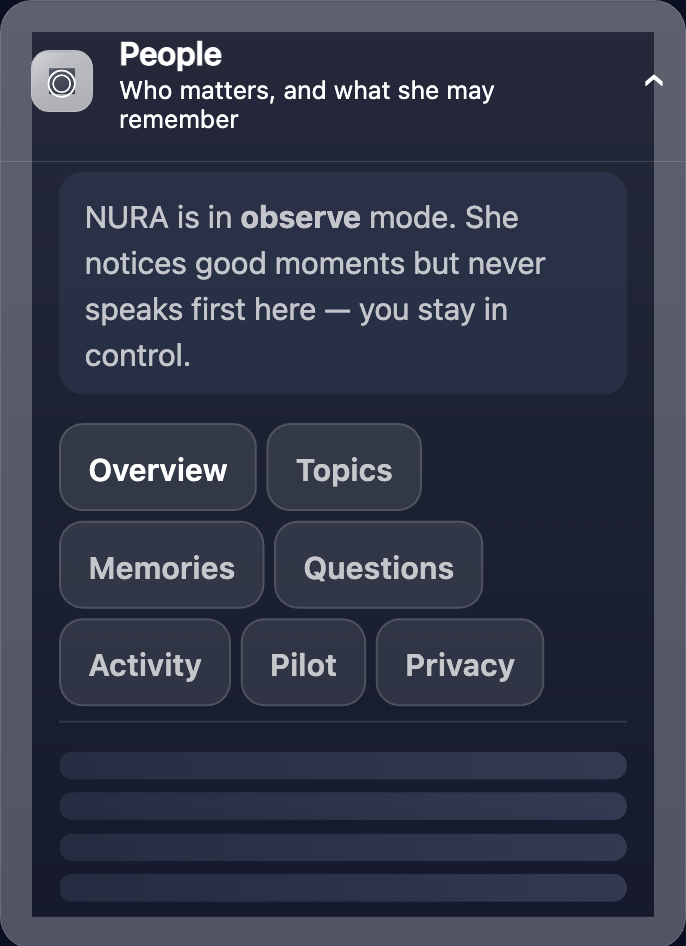
The People tab itself holds only these two lists — plain contact cards, nothing more. What NURA is allowed to remember about a person is a separate, deliberate surface, reached through Settings → "People". There you approve, one fact at a time, what she may keep — who matters and what she may recall. Nothing is remembered by default, and you can switch it back off at any time.
How Noora recalls a person
Noora, the optional AI, is off until you connect it with your own key. When connected, she can look someone up through a single read-only tool that searches both books, and she sees only the profile facts you approved in Settings. She may ask; she may not act, change a setting, or reach the network on her own — those stay in your hands.
Private, and on your phone
Your contacts and the facts you approve live on your device. There is no account to create and nothing is uploaded to us. If you never connect the AI, the phone book still works in full — the intelligence is optional; the privacy is not.
Details reflect the shipping People tab (ContactBook) and the relationship memory surface (Settings → "People"). NURA is an on-device app by default; the AI persona Noora requires a user-supplied key for any external provider and operates only in the foreground.
Get the athan, live — free
These times update every day. The NURA app keeps them live on your phone, calls the full athan at prayer time, points the Qibla, and shows it all on a living watch face — working offline, no account, no sign-in.
NURA — coming soon to iPhone